Annature's integration with FYI streamlines document signing for accounting practices. Select documents in FYI, send them to Annature for eSigning with recipient details already filled in, and have everything sync back and file automatically once signed.
The FYI integration removes manual steps from your signing workflow. Documents and recipient details flow from FYI into Annature, where you can add fields or apply templates before sending. Once signing is complete, all documents — including audit trails — are automatically synced back to FYI and filed under the correct client.
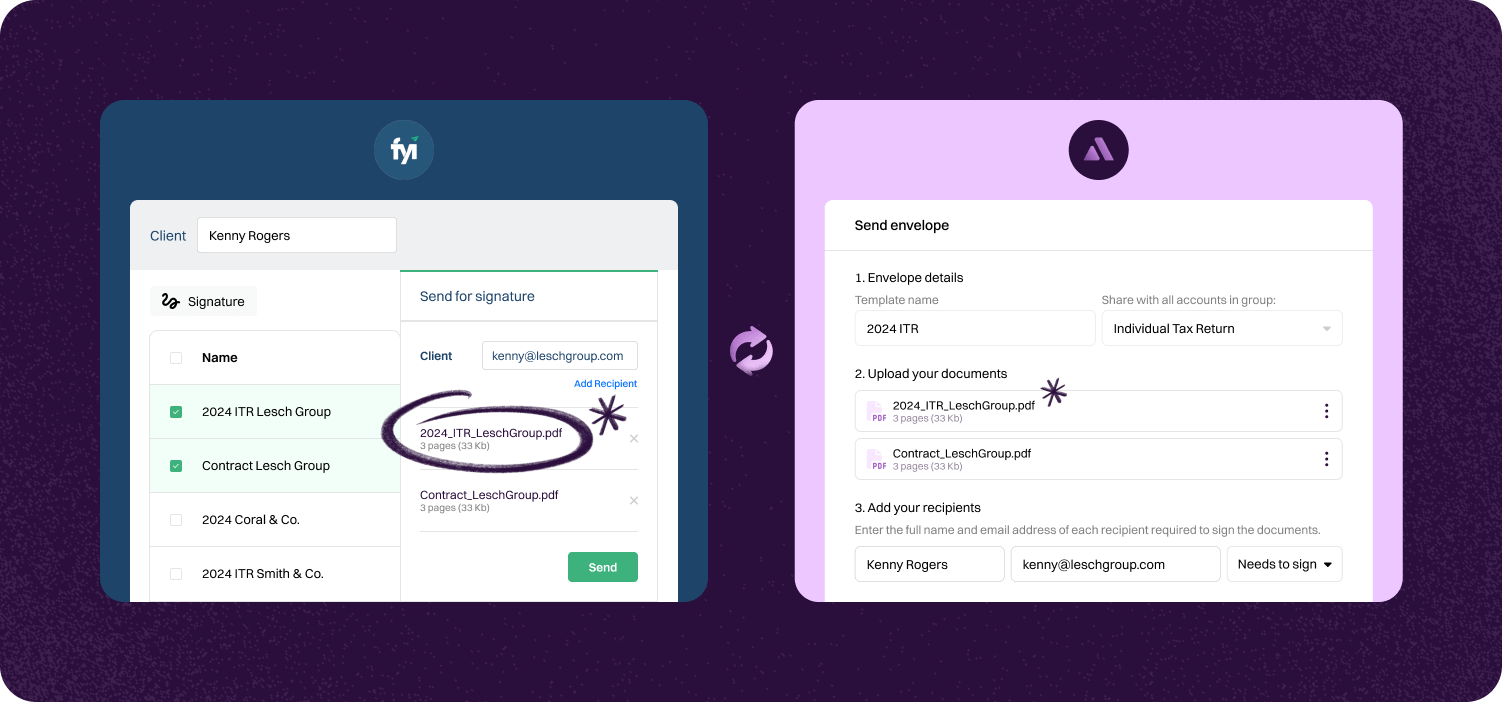

Documents and recipient details flow from FYI into Annature seamlessly. Add fields or apply templates, then send. No manual data entry required.
Once signed, documents sync back to FYI and file under the right client. Audit trails, certificates, and combined document packs are all included.
Every action is tracked and filed. Signed documents, certificates of completion, and combined document packs are automatically threaded in FYI, keeping you organised and compliant.
Step-by-step guide to linking account.

Open the Developers page. After creating your free account and signing in to the Annature dashboard, navigate to the Developers page from the sidebar. If you have the Annature dashboard open in another tab, you can click here to go straight to the Developers page.
On the Developers page, click Create key and enter a key name. We recommend using "FYI" for this field as it will help you identify which keys have been created for which application, should you ever connect your Annature account to other applications in the future.


When you have entered your key name, click Create and you will be presented with a set of randomly generated letters and numbers. These letters and numbers are called API keys and when entered into your FYI account, this is what allows FYI to send documents for digital signing on behalf of your Annature account.
Protect sensitive financial data and tax file numbers with our secure e-signature solution. Minimize the risk of data breaches and manual errors. Ensure your documents meet industry standards and regulations.


Annature integrates with Xero, Xero Practice Manager, Xplan, HubSpot, Zoho CRM, Close CRM, MYOB Practice Management, FYI, Worksorted, Mailchimp, Pinch Payments, and more. We're continually expanding our integration network.
Yes. Our integrations are designed to be straightforward, so you can connect your tools without needing IT expertise.
Yes. Our API lets developers build custom workflows and embed Annature directly into their own systems.
Yes. Annature has pre-built integrations with platforms like HubSpot, Zoho CRM, Close CRM, Xero Practice Manager, Xplan, and more. You can also use the API to build custom connections.
Schedule a free product demonstration with someone from our friendly on-shore sales and support team to learn more about Annature and our platform.
“Annature quite quickly became the first on the list to recommend to all my clients because of how well it worked for us. It looks beautiful. It’s easy to use. It scales properly on the phone.”